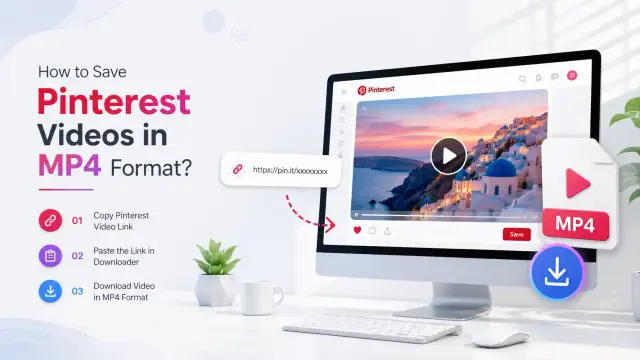
Wondering why your Pinterest pins aren’t getting views? Many creators face this issue despite publishing quality content. In this article, we’ll explore the most common reasons pins receive no views and provide actionable solutions. Plus, we’ll show how a Pinterest Video Download tool can help you save valuable content for offline access.
Common Reasons Your Pinterest Pins Aren’t Getting Views
Pinterest evaluates multiple factors before distributing pins widely. Here are the most common issues:
- Pins Are Too New: Pinterest takes time to index new pins, sometimes days or weeks.
- Poor Pinterest SEO Optimization: Without relevant keywords in titles and descriptions, Pinterest struggles to understand your content.
- Unattractive Pin Design: Users scroll past hundreds of pins daily; weak design reduces engagement.
- Pins Saved to Irrelevant Boards: Saving pins to unrelated boards confuses Pinterest’s algorithm.
- Inactive Pinterest Account: Accounts that post infrequently get less visibility.
- Low‑Quality Website Content: Poor landing pages reduce Pinterest distribution.
- Low Pin Engagement: Pins with fewer clicks, saves, or comments are less likely to be promoted.
- Duplicate Pins Instead of Fresh Content: Reposting the same design lowers reach.
- New Pinterest Account: Fresh accounts naturally have fewer views until they grow.
- Temporary Pinterest Glitch: Sometimes, technical issues affect pin visibility.
- Generic Pin Titles and Descriptions: Titles like “Check This Out” don’t help Pinterest understand your content.
- High Competition in Your Niche: Popular categories like fashion or travel require standout designs.
How to Get More Views on Your Pinterest Pins
To improve visibility, follow these strategies:
- Optimize pins for Pinterest SEO with relevant keywords.
- Create fresh designs instead of reposting duplicates.
- Use high‑quality visuals in the correct 2:3 aspect ratio.
- Save pins to relevant boards for better indexing.
- Stay active by publishing consistently.
- Improve your website quality with fast, mobile‑friendly pages.
- Use Pinterest Analytics to track engagement and refine designs.
- Allow time for new pins to be indexed.
- Experiment with different designs to boost impressions and clicks.
Bonus Tip: Save Valuable Pinterest Content Offline
While growing your account, you may find inspiring videos, reels, or idea pins worth saving. A Pinterest Video Download tool lets you easily download public Pinterest videos, images, and GIFs in high quality directly from your browser. This ensures you can access important content offline anytime.
Final Thought
Improving Pinterest performance requires patience and consistent optimization. By refining keywords, pin designs, boards, and publishing schedules, you’ll gradually see better results. Focus on long‑term growth, and use tools like Pinterest Video Download to save inspiring content that fuels your creativity.